# 自定义Mega菜单

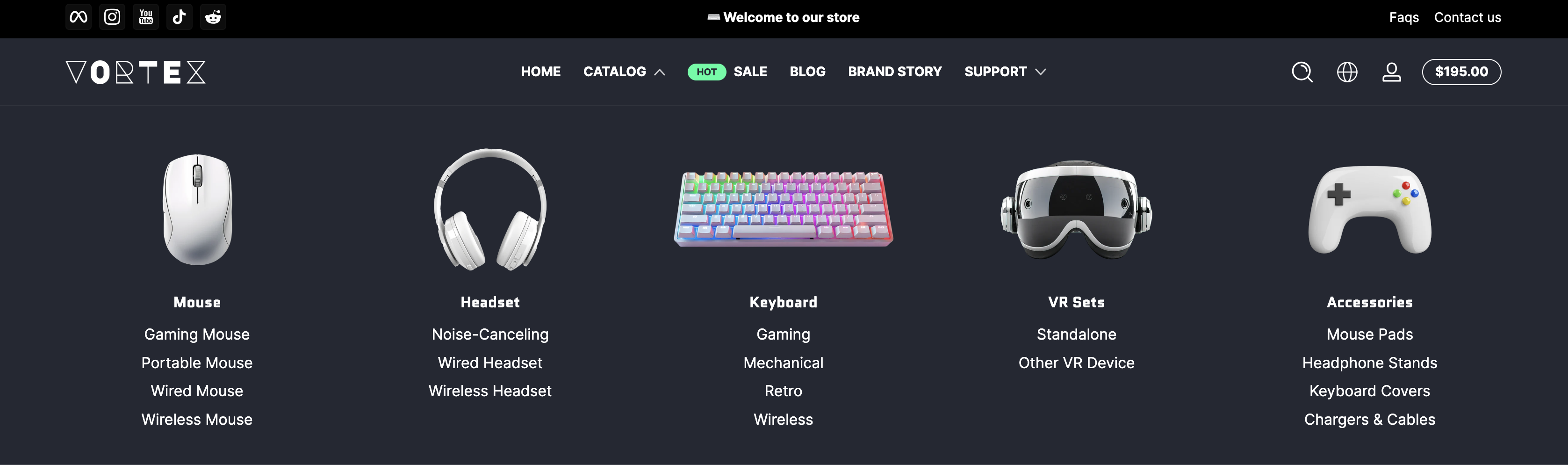
**Mega 菜单**是一种高级的导航菜单，用于展示网站中的多层级内容。与传统的下拉菜单不同，Mega 菜单通常以更大的面板形式展开，能够同时显示多个选项和分类，方便用户快速浏览和访问更多内容。自定义 Mega 菜单可创建如下图所示的效果，支持添加图片。

<figure><img src="/files/BmH4X4CPcIAo7mP0cKi6" alt=""><figcaption></figcaption></figure>

### 实现上图效果的步骤：

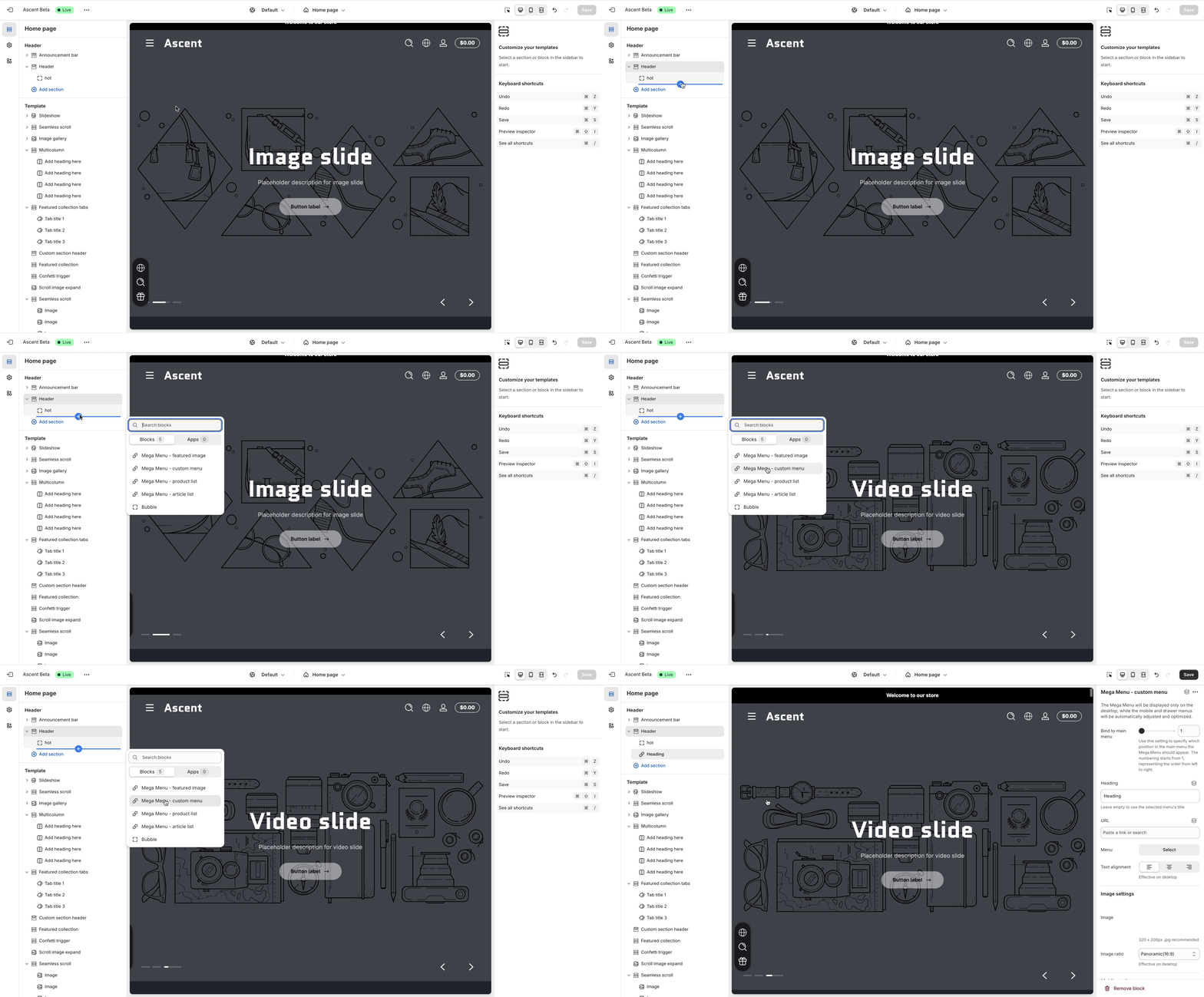
**第一步 添加自定义Mega菜单**

<figure><img src="/files/aKNWYL3zazPKK0wCQkiw" alt=""><figcaption></figcaption></figure>

**第二步 绑定主菜单**

选择主菜单序号，下面的示例是绑定第二个主菜单

<figure><img src="/files/hmEYnxiuSmxygmzSjVhZ" alt=""><figcaption></figcaption></figure>

**第三步 选择菜单**

选择菜单并设置菜单的对齐方式，我们以居中对齐为例

{% hint style="warning" %}
需要提前添加菜单内容，并且这里仅显示一级菜单列表
{% endhint %}

<figure><img src="/files/gqH7HiUGsIY9VQMW038P" alt=""><figcaption></figcaption></figure>

**第四步 添加图片**

添加图片，可设置图片比例，预览最终效果

<figure><img src="/files/outTheZO7HNjeUmuuKoL" alt=""><figcaption></figcaption></figure>

**重复上述步骤添加自定义菜单便可实现案例的效果**


---

# Agent Instructions: Querying This Documentation

If you need additional information that is not directly available in this page, you can query the documentation dynamically by asking a question.

Perform an HTTP GET request on the current page URL with the `ask` query parameter:

```
GET https://ascent.webvista.studio/webvista-studio-docs/ye-mei/zi-ding-yi-mega-cai-dan.md?ask=<question>
```

The question should be specific, self-contained, and written in natural language.
The response will contain a direct answer to the question and relevant excerpts and sources from the documentation.

Use this mechanism when the answer is not explicitly present in the current page, you need clarification or additional context, or you want to retrieve related documentation sections.