> For the complete documentation index, see [llms.txt](https://ascent.webvista.studio/llms.txt). Markdown versions of documentation pages are available by appending `.md` to page URLs; this page is available as [Markdown](https://ascent.webvista.studio/webvista-studio-docs/main-pages/main-product/xing-neng-zhi-shi-tiao.md).
# 性能指示条
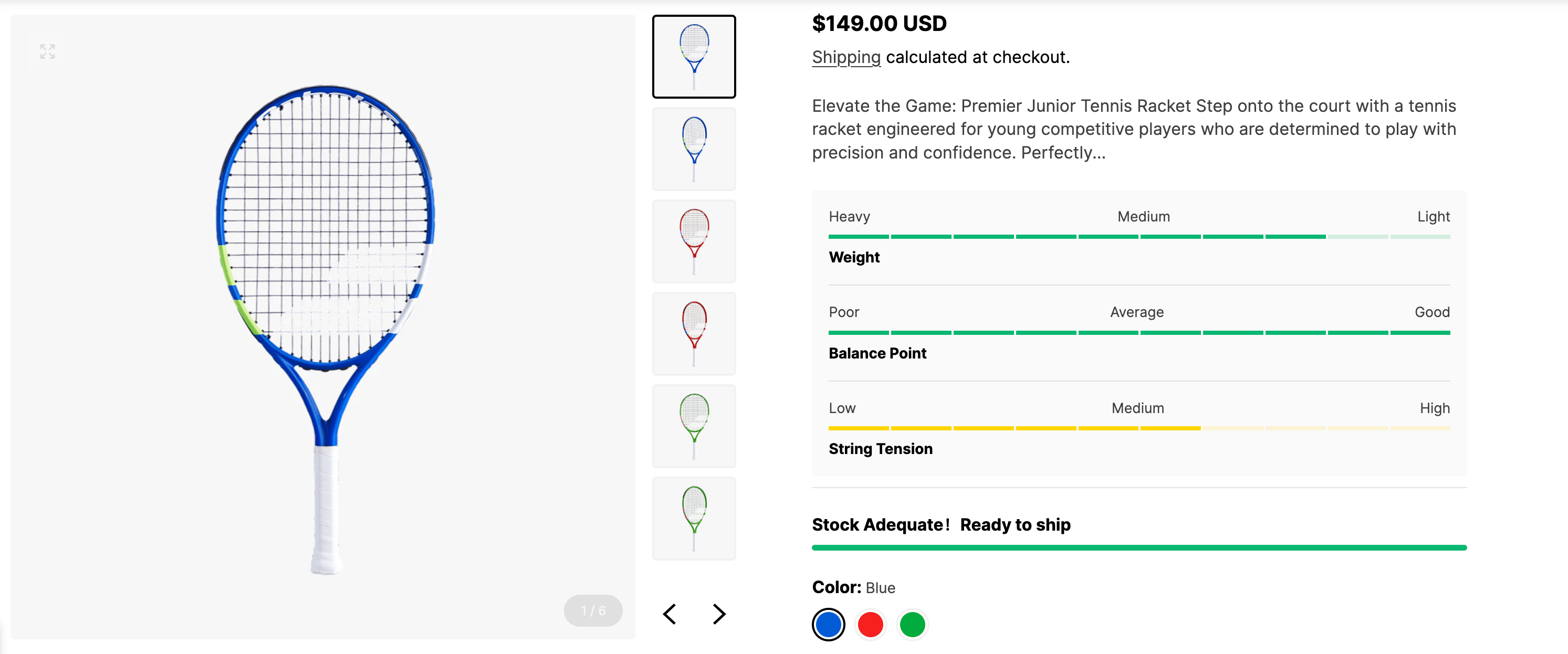
性能指示条通过**可视化进度条**展示产品各项性能参数的等级,帮助用户快速了解产品表现,并进行直观比较。
 ### **如何添加性能指示条**
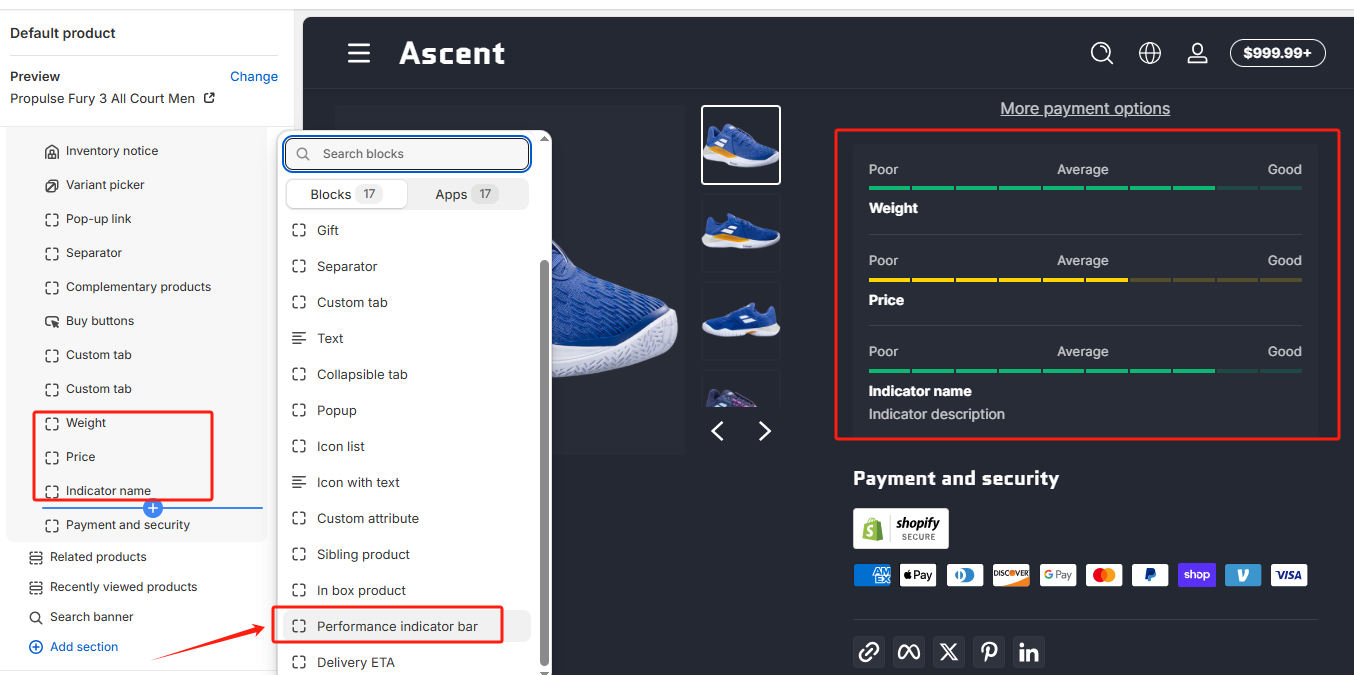
**进入 Shopify 编辑器**,在 **Product information**(产品信息)部分添加 **“性能指示条”** Block。
### **如何添加性能指示条**
**进入 Shopify 编辑器**,在 **Product information**(产品信息)部分添加 **“性能指示条”** Block。
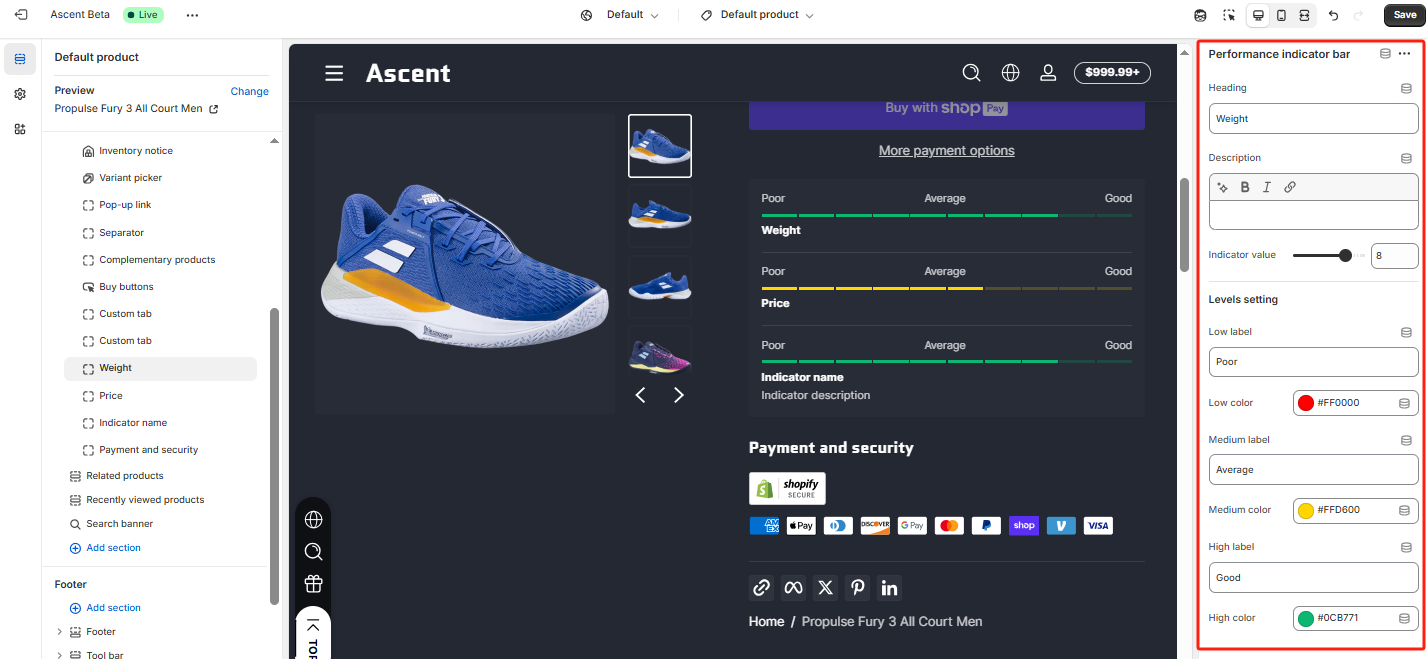
 **编辑性能参数**,根据提示填写以下内容:
* **标题**:指示条的名称,例如“续航能力”或“散热性能”。
* **描述**:简要说明该性能参数的意义。
* **等级**:设定性能等级,例如 1-100 评分或 低/中/高。
* **低等级**:填写低性能表现的标签,并选择相应的颜色。
* **中等级**:填写中等性能表现的标签,并选择相应的颜色。
* **高等级**:填写高性能表现的标签,并选择相应的颜色。
**编辑性能参数**,根据提示填写以下内容:
* **标题**:指示条的名称,例如“续航能力”或“散热性能”。
* **描述**:简要说明该性能参数的意义。
* **等级**:设定性能等级,例如 1-100 评分或 低/中/高。
* **低等级**:填写低性能表现的标签,并选择相应的颜色。
* **中等级**:填写中等性能表现的标签,并选择相应的颜色。
* **高等级**:填写高性能表现的标签,并选择相应的颜色。
 ### **注意事项**
* **性能指示条是产品通用板块**,默认适用于所有产品。
* 如果需要为不同产品设置不同的性能参数,可**配合产品 A+ 页面使用**,以实现更灵活的自定义展示。 [创建产品A+页面](/webvista-studio-docs/main-pages/main-product/chuang-jian-chan-pin-a+-ye-mian.md)
### **注意事项**
* **性能指示条是产品通用板块**,默认适用于所有产品。
* 如果需要为不同产品设置不同的性能参数,可**配合产品 A+ 页面使用**,以实现更灵活的自定义展示。 [创建产品A+页面](/webvista-studio-docs/main-pages/main-product/chuang-jian-chan-pin-a+-ye-mian.md)