# 显示变体样本

显示颜色样本能让顾客更直观地了解产品外观，减少因色差带来的退货率，并有效提升购物体验与转化率。通过直观且专业的色板展示，店铺不仅能彰显品牌形象与专业度，也能在激烈的电商竞争中更胜一筹。

### 显示颜色样本

如图所示，为产品添加颜色属性。

{% hint style="warning" %}
选择系统提供的颜色选项而非自定义的颜色选项
{% endhint %}

<figure><img src="/files/YbNdKWKOsnXw8dAvNN6Q" alt=""><figcaption></figcaption></figure>

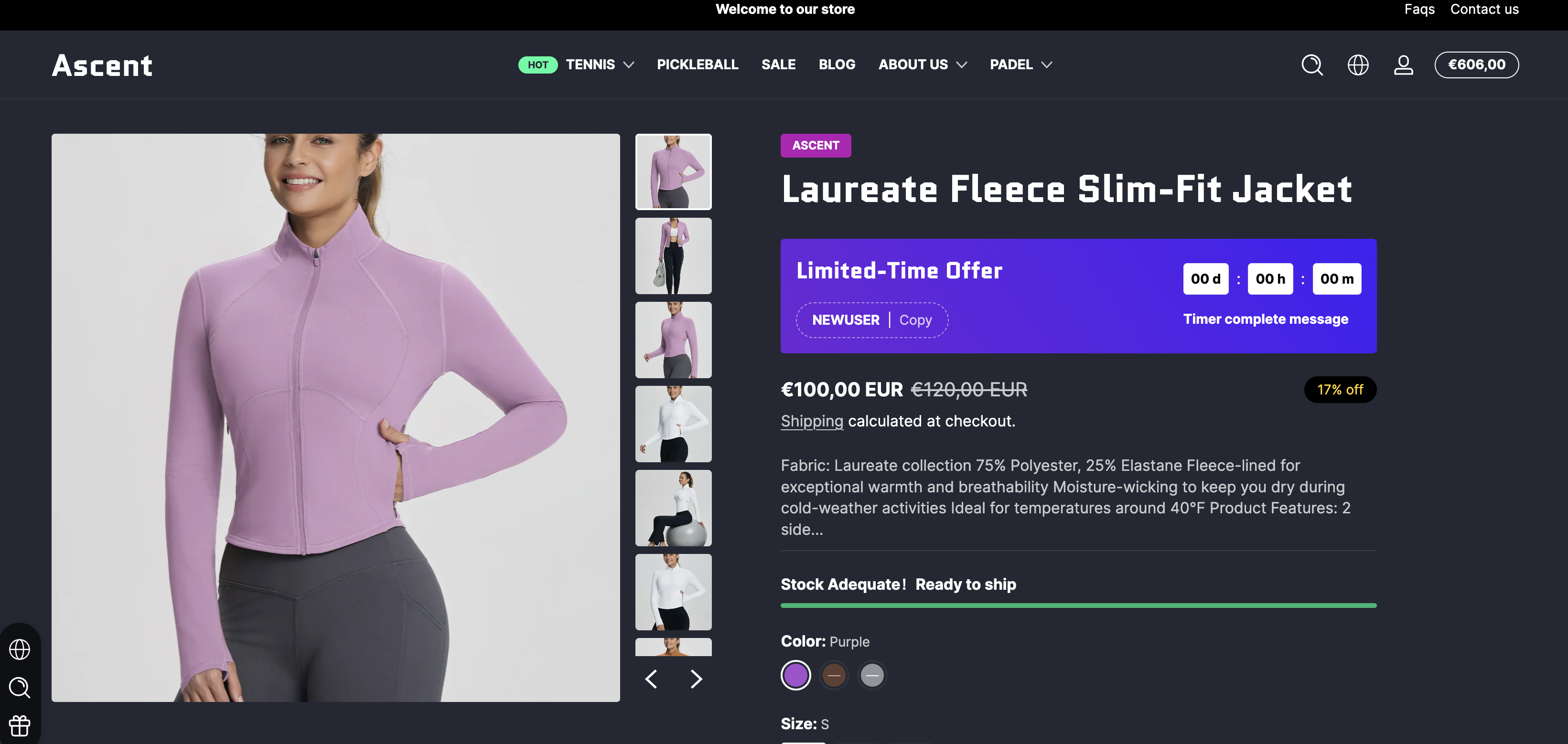
添加成功后，颜色样本将自动显示，如下图所示。

<figure><img src="/files/iEqlUmOKtehr49yms64v" alt=""><figcaption></figcaption></figure>

### 显示图片样本

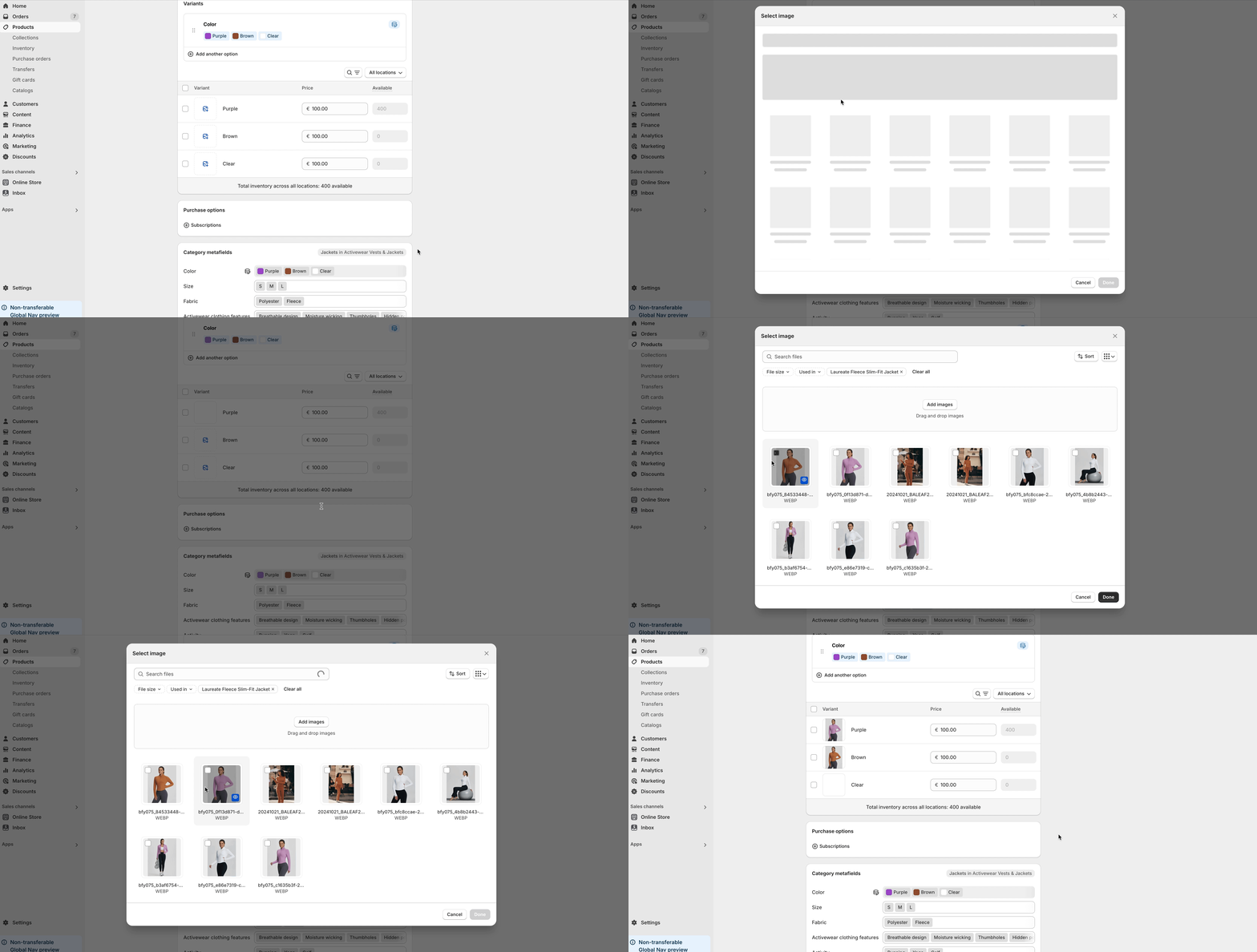
首先需要在产品编辑页面为产品变体添加图片。

<figure><img src="/files/bQP5I16yivuZxQrvzfxq" alt=""><figcaption></figcaption></figure>

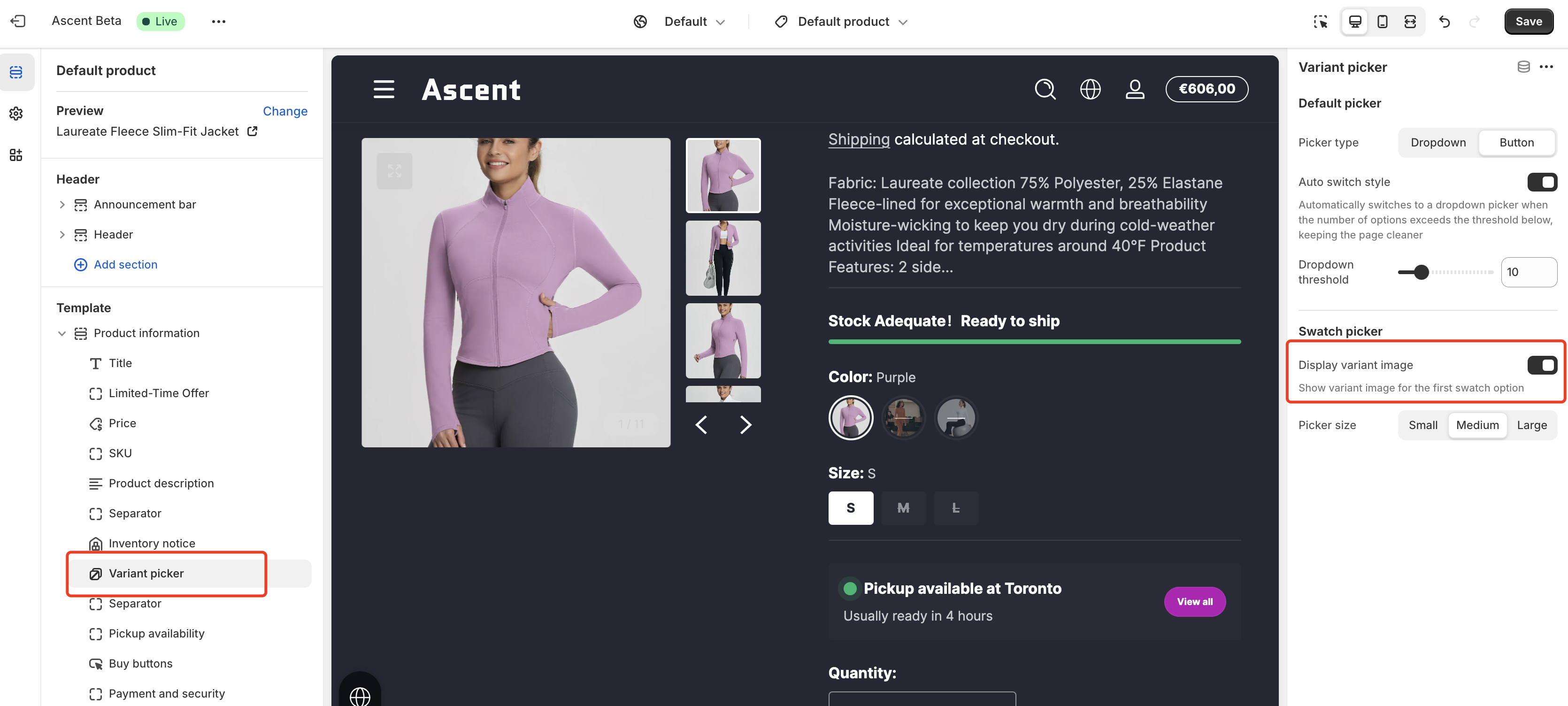
接着，在模板编辑页面（产品页面）中，点击“变体选择器”块并启用“显示变体图片”功能。

<figure><img src="/files/oM64vHB9BFsP542KTPDc" alt=""><figcaption></figcaption></figure>


---

# Agent Instructions: Querying This Documentation

If you need additional information that is not directly available in this page, you can query the documentation dynamically by asking a question.

Perform an HTTP GET request on the current page URL with the `ask` query parameter:

```
GET https://ascent.webvista.studio/webvista-studio-docs/main-pages/main-product/xian-shi-bian-ti-yang-ben.md?ask=<question>
```

The question should be specific, self-contained, and written in natural language.
The response will contain a direct answer to the question and relevant excerpts and sources from the documentation.

Use this mechanism when the answer is not explicitly present in the current page, you need clarification or additional context, or you want to retrieve related documentation sections.