> For the complete documentation index, see [llms.txt](https://ascent.webvista.studio/llms.txt). Markdown versions of documentation pages are available by appending `.md` to page URLs; this page is available as [Markdown](https://ascent.webvista.studio/webvista-studio-docs/main-pages/main-product/chuang-jian-chan-pin-a+-ye-mian.md).
# 创建产品A+页面
创建一个**独立且可定制化**的产品页面,旨在**全面展示产品特点与核心卖点**,结合**精美的视觉设计**和**用户友好的界面布局**,确保页面不仅能够**吸引用户注意力**,还能够**有效传达产品价值**,最终实现**转化率的提升**。这个页面将具备**高度灵活性**,支持**个性化内容布局**、**响应式设计**,并结合**SEO优化**与**数据分析工具**,为产品推广提供**强有力的支持**。
### 创建新产品模板
* 在顶部的下拉菜单中,选择 **产品**
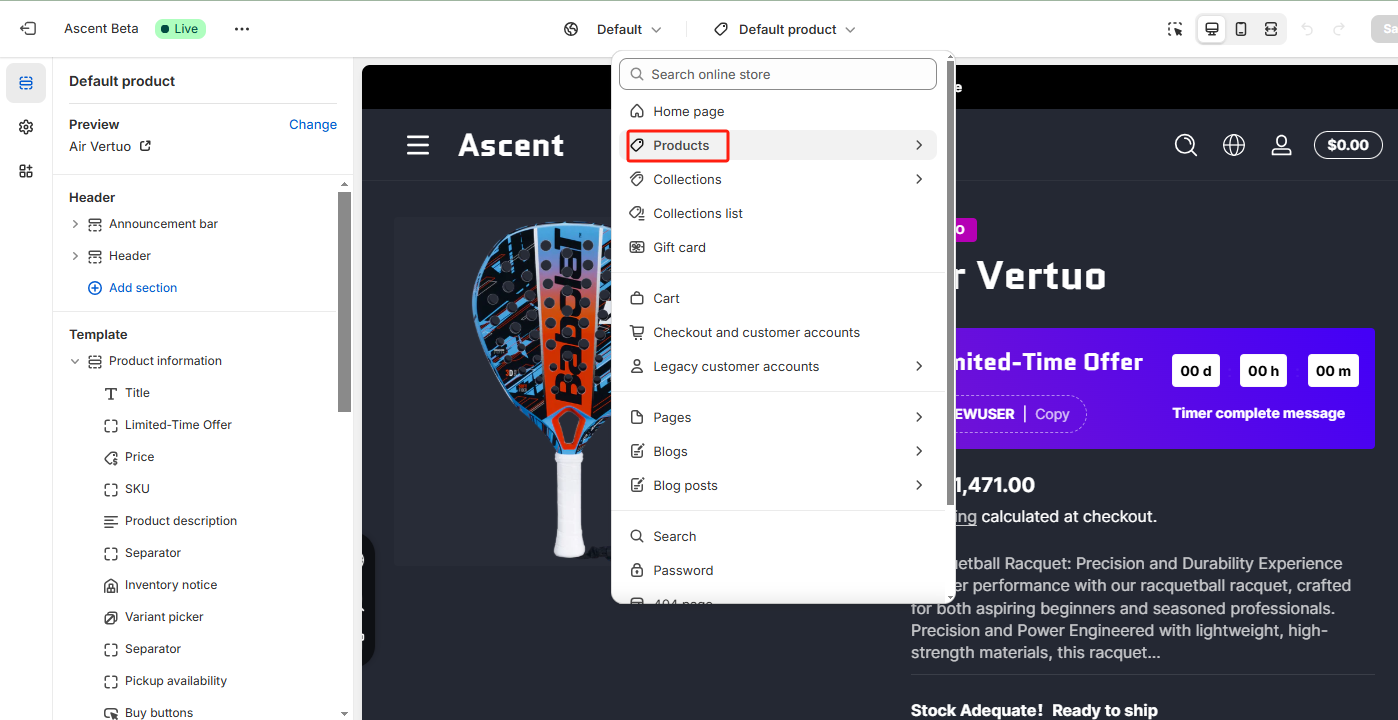 * 点击 **创建模板**
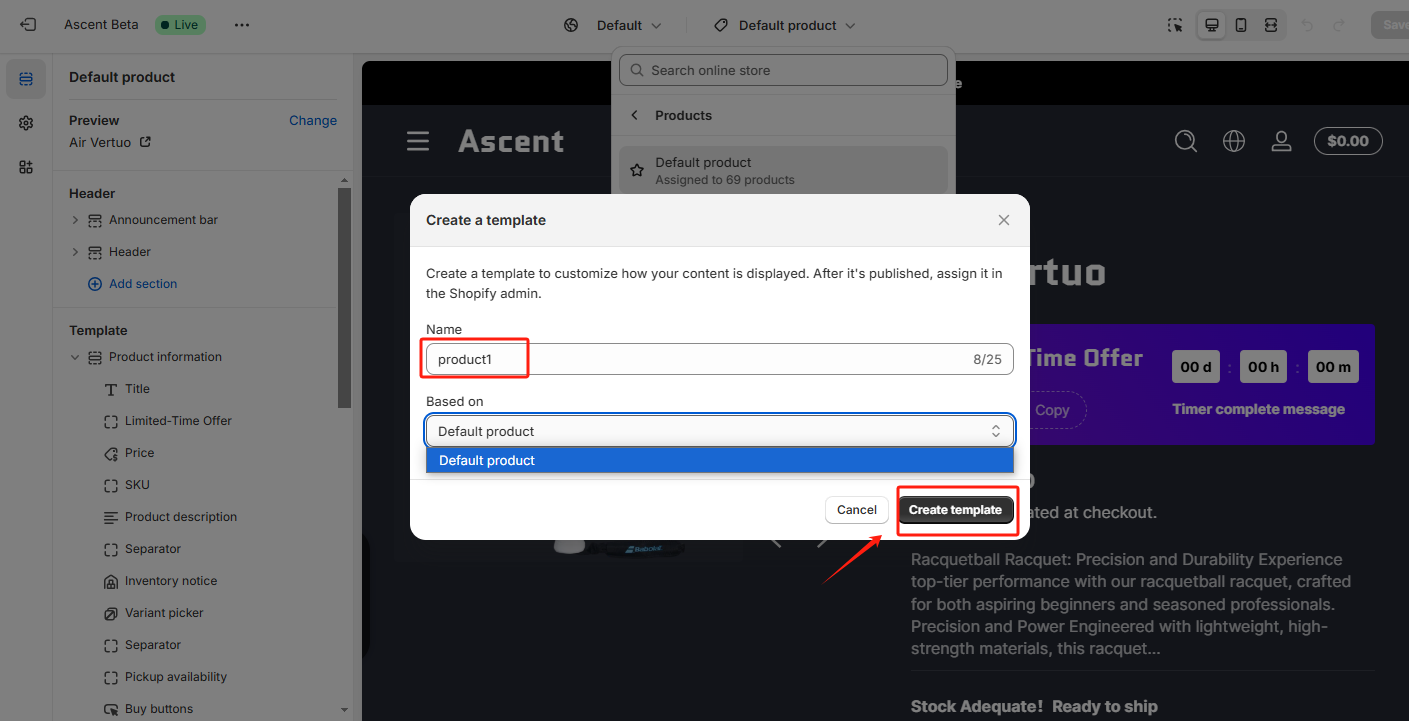
* 输入一个**模板名称**
* 在“基于”选项中,您可以选择一个**现有的产品模板**进行复制。
* 点击 **创建模板**
* 点击 **创建模板**
* 输入一个**模板名称**
* 在“基于”选项中,您可以选择一个**现有的产品模板**进行复制。
* 点击 **创建模板**
 ### 自定义您的模板
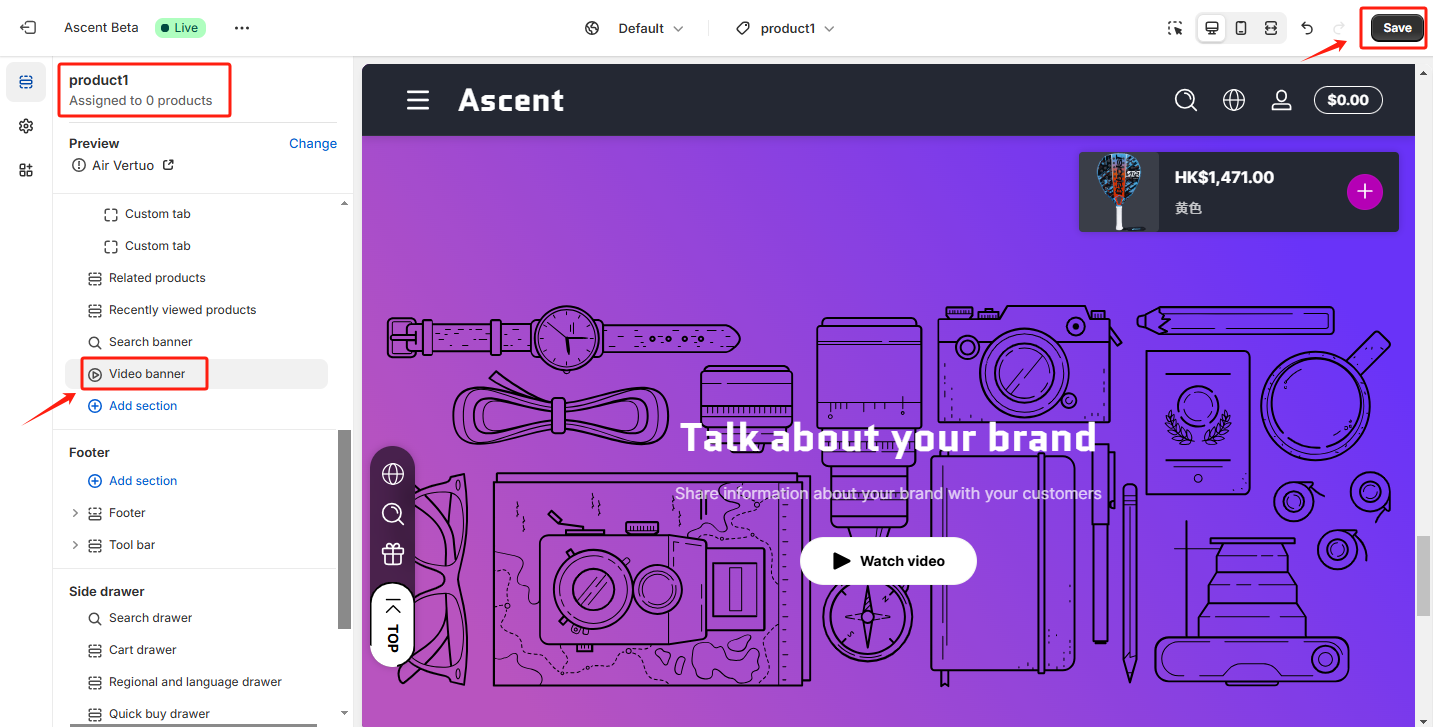
* 在模板编辑界面中,您可以**添加、编辑或删除板块**。
* 根据您的需求进行自定义设置。
* 完成后,点击 **保存。**
### 自定义您的模板
* 在模板编辑界面中,您可以**添加、编辑或删除板块**。
* 根据您的需求进行自定义设置。
* 完成后,点击 **保存。**
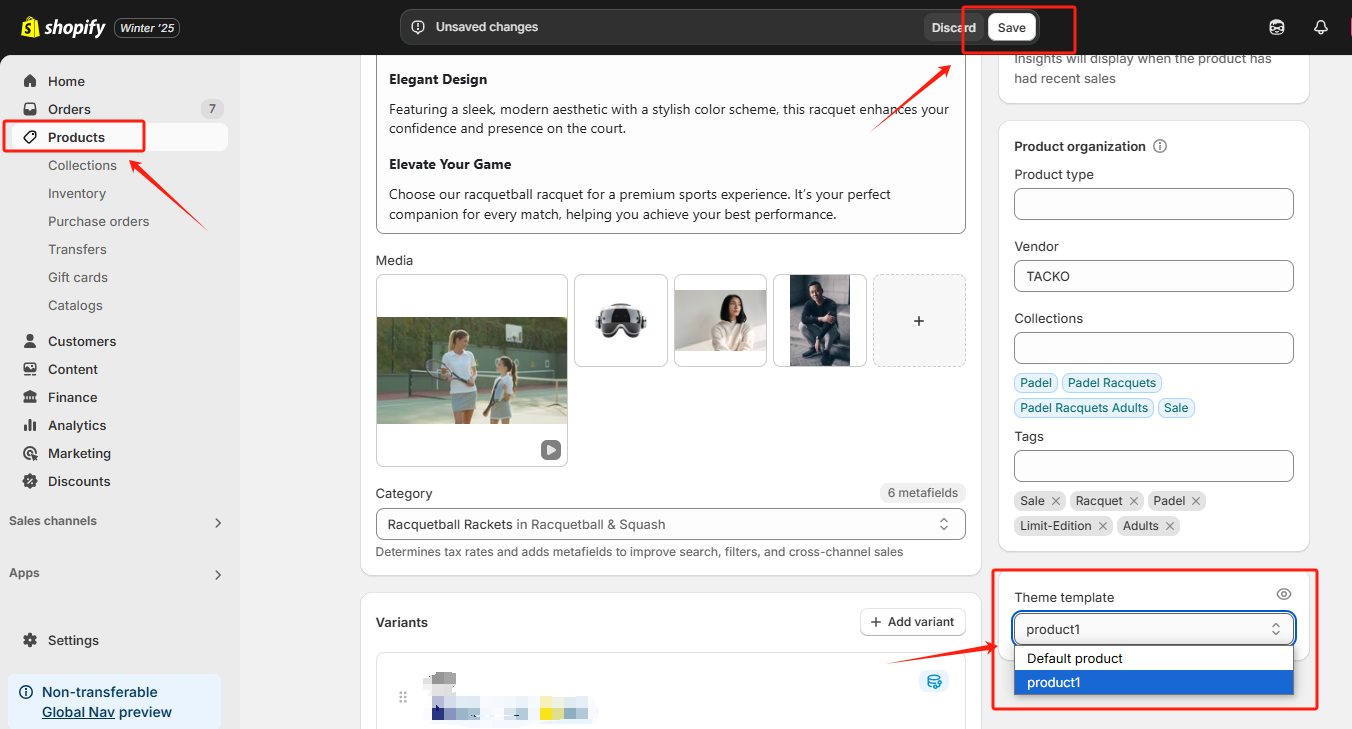
 ### 将模板分配给产品
* 返回到 **Shopify 管理后台 > 产品**
* 选择您要应用模板的**产品**。
* 在右侧的 **主题模板** 部分,选择您刚刚创建的**新模板**。
* 点击 **保存**
### 将模板分配给产品
* 返回到 **Shopify 管理后台 > 产品**
* 选择您要应用模板的**产品**。
* 在右侧的 **主题模板** 部分,选择您刚刚创建的**新模板**。
* 点击 **保存**