> For the complete documentation index, see [llms.txt](https://ascent.webvista.studio/llms.txt). Markdown versions of documentation pages are available by appending `.md` to page URLs; this page is available as [Markdown](https://ascent.webvista.studio/webvista-studio-docs/ce-bian-chou-ti/sou-suo-chou-ti.md).
# 搜索抽屉
搜索抽屉是一种简洁、高效的产品搜索展示方式。当顾客在网站上进行搜索时,搜索抽屉可以在页面侧边快速展示相关的搜索结果,无需跳转至新的搜索结果页面,极大地提升了用户体验。
### **启用搜索抽屉**:
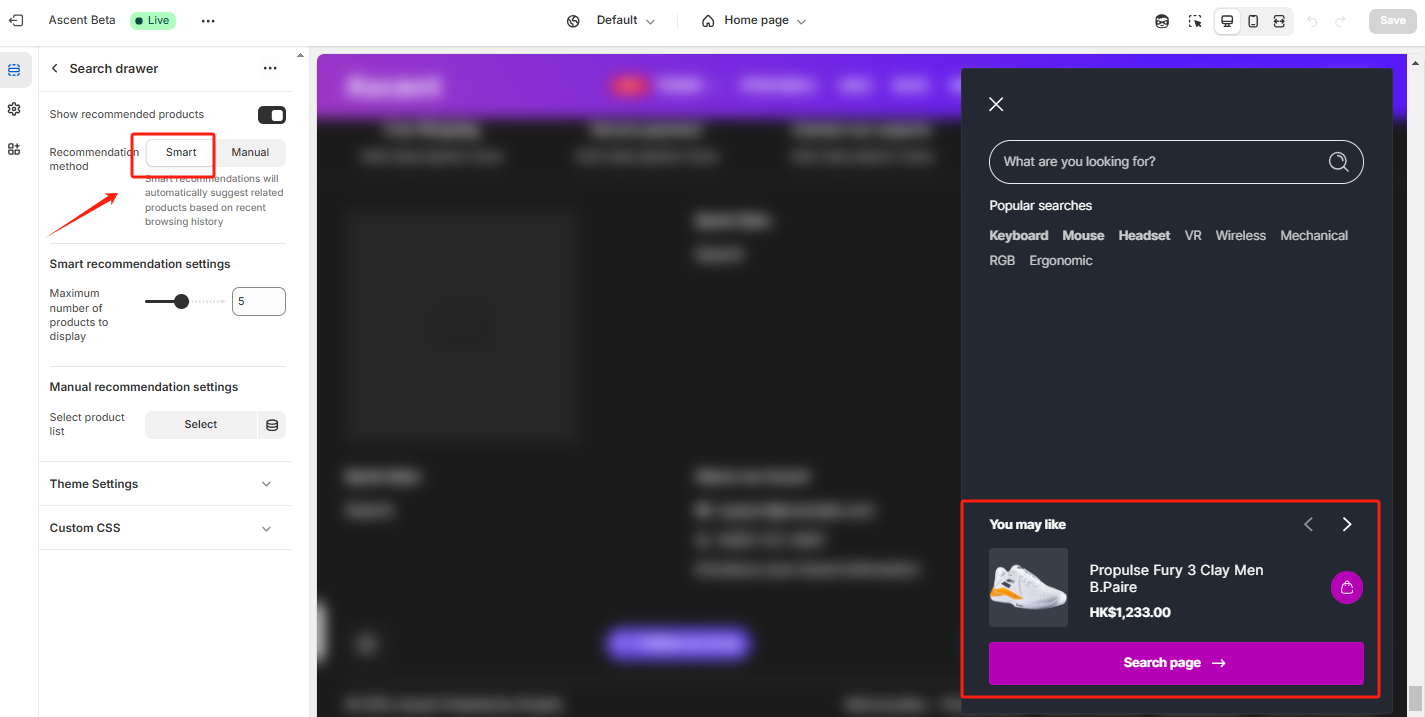
1. **显示推荐产品**:通过勾选“显示推荐产品”选项,可以在搜索抽屉中显示与搜索内容相关的推荐产品,帮助顾客快速找到可能感兴趣的商品。
2. **选择产品列表**:点击“更改”按钮,可以手动选择一系列推荐产品,确保在搜索抽屉中向顾客展示这些特定产品。
### **推荐产品设置**:
* 推荐产品可以根据商家推广策略选择。建议选择与顾客搜索行为相关联的产品,例如根据搜索关键词显示相关商品,或者展示您希望推广的热门商品和搭配销售商品。
* 推荐产品可以选择自动推荐,系统会自动生成相关产品。
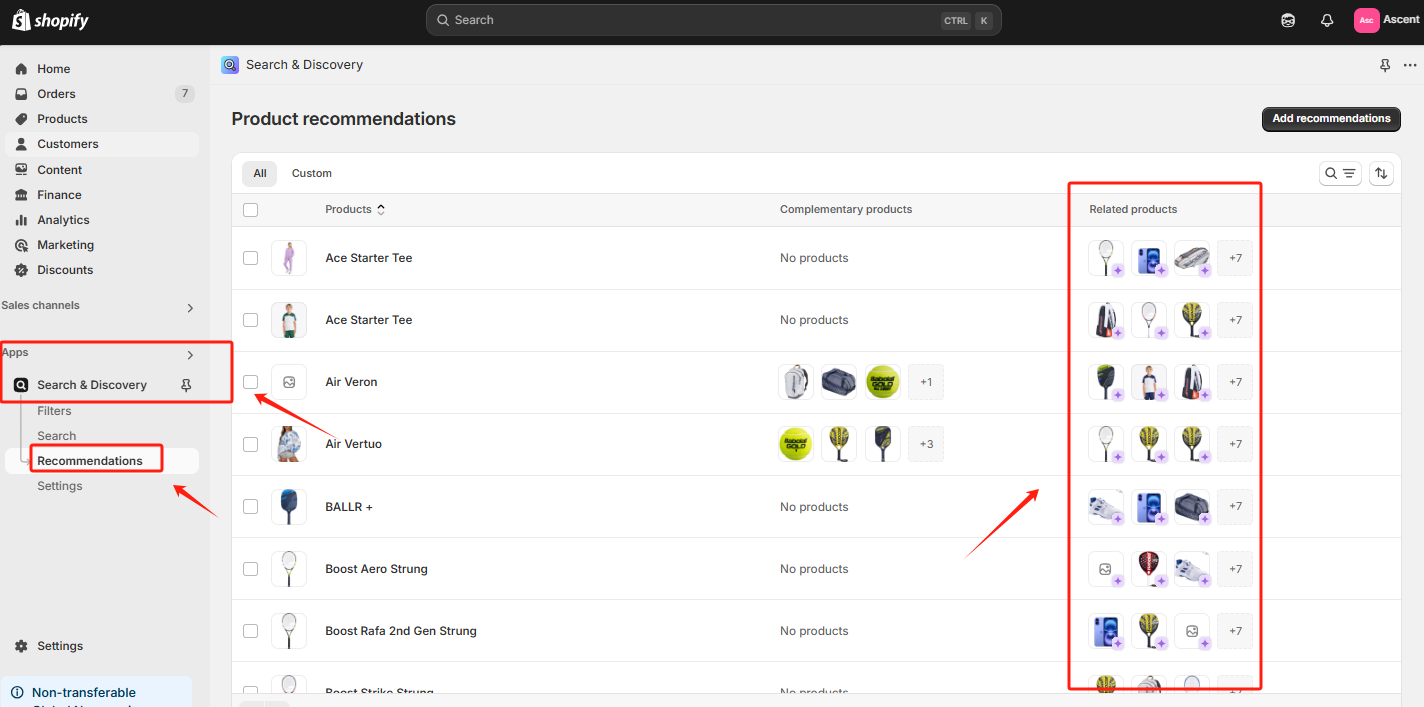
可以Search & Discovery中手动更改相关产品推荐。
### **使用建议**:
* **提高转化率**:通过展示推荐产品,您可以帮助顾客更快速找到他们可能感兴趣的商品,提升转化率。
* **精准推荐**:推荐的产品应与顾客的搜索行为高度相关,这有助于提升顾客满意度,并促使他们继续购买。
* **促销结合**:结合促销活动设置,例如给推荐产品添加限时优惠或促销标志,可以鼓励顾客立即下单,提升店铺销售额。