> For the complete documentation index, see [llms.txt](https://ascent.webvista.studio/llms.txt). Markdown versions of documentation pages are available by appending `.md` to page URLs; this page is available as [Markdown](https://ascent.webvista.studio/webvista-studio-docs/ce-bian-chou-ti/gou-wu-che-chou-ti.md).
# 购物车抽屉
购物车抽屉是一种快速查看和管理购物车的方式,顾客可以在当前页面上快速查看已添加的商品,无需跳转到独立的购物车页面。购物车抽屉提升了用户体验,使顾客可以更方便地继续浏览和购物。
### **启用购物车抽屉**:
1. 前往**模板设置**,找到购物车相关设置,选择购物车类型为“抽屉式”。
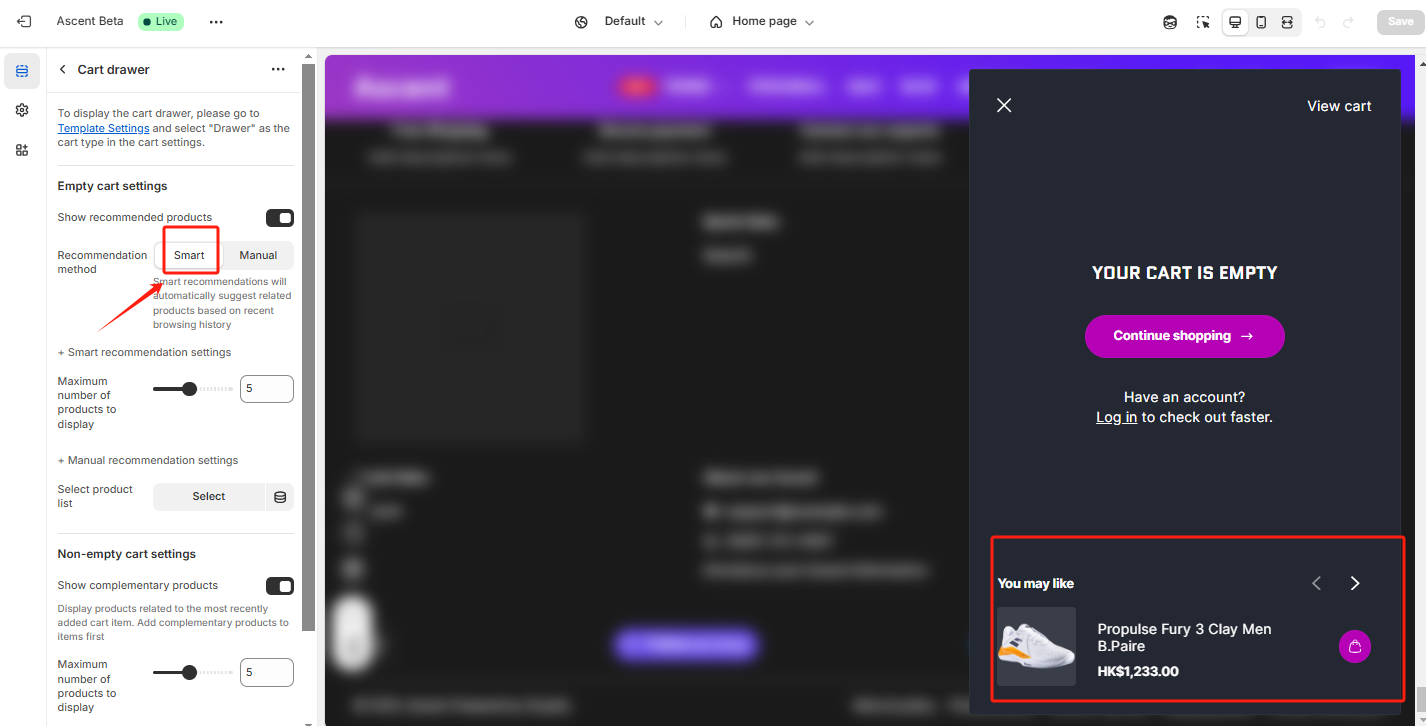
2. 启用**显示推荐产品**:勾选该选项后,购物车抽屉中会显示推荐产品,增加交叉销售机会,提升购物体验。
### **推荐产品设置**:
* 您可以通过“选择产品列表”来设置在购物车抽屉中显示的推荐产品。点击“更改”按钮,选择您希望在购物车抽屉中显示的推荐产品。
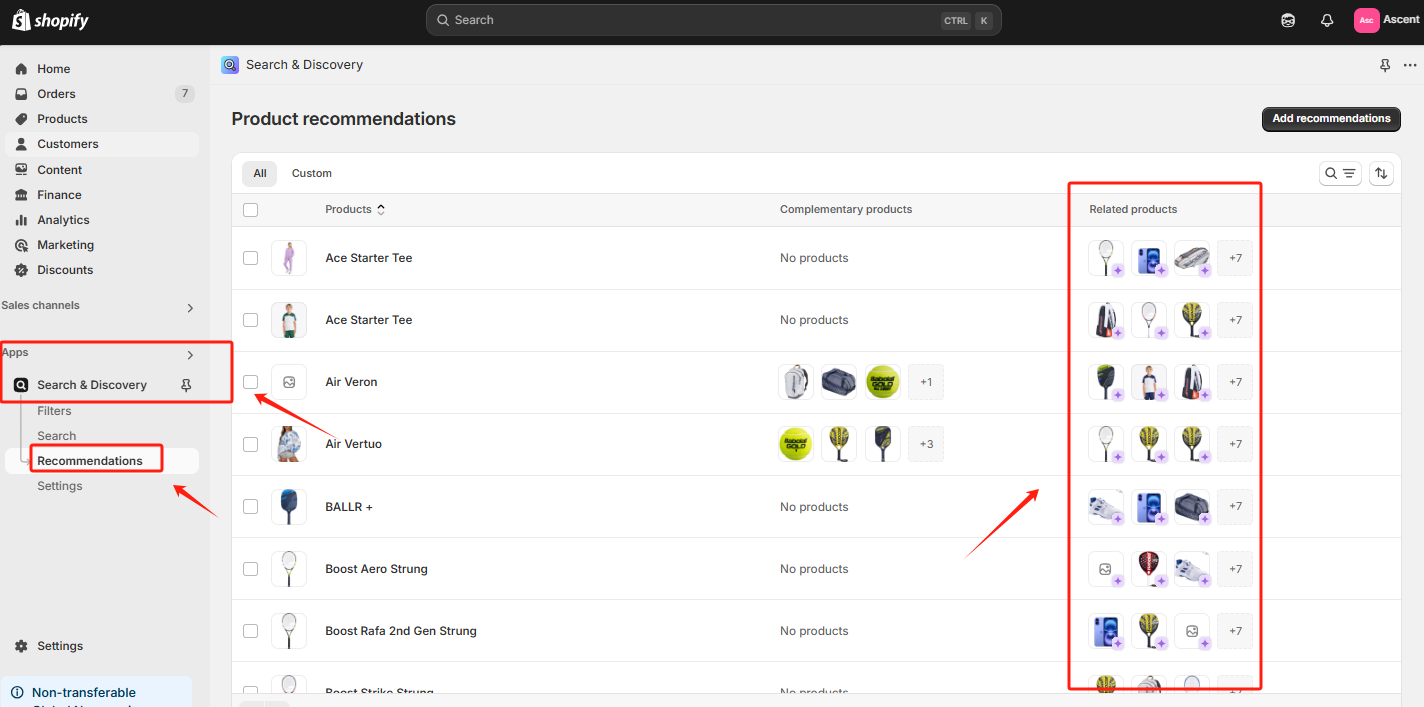
* 推荐产品可以选择自动推荐,系统会自动生成相关产品。
可以在Search & Discovery中手动更改相关产品推荐。
* 推荐产品可以是您希望顾客在结账前进一步添加到购物车的商品,这些推荐产品通常与已加入购物车的商品相关联(例如搭配商品、热销商品等)。
### **常见用途**:
* **提升客单价**:通过在购物车抽屉中显示推荐产品,顾客有可能会在结账前添加更多商品,从而提升您的平均客单价。
* **提升用户体验**:购物车抽屉允许顾客在无需跳转页面的情况下快速查看购物车,并继续浏览其他产品,提供更顺畅的购物流程。
### **使用建议**:
* 推荐产品最好选择与顾客已选购的商品相关性较高的产品,以提高交叉销售的成功率。
* 设置一些限时优惠或折扣,鼓励顾客在购物车抽屉中添加更多推荐商品。