> For the complete documentation index, see [llms.txt](https://ascent.webvista.studio/llms.txt). Markdown versions of documentation pages are available by appending `.md` to page URLs; this page is available as [Markdown](https://ascent.webvista.studio/pages/main-product/product-a+-page.md).
# Product A+ Page
Create an independent and customizable product page designed to comprehensively showcase the product features and key selling points, combining exquisite visual design with a user-friendly layout. The page should not only capture the user's attention but also effectively communicate the product's value, ultimately improving conversion rates. This page will have high flexibility, supporting personalized content layout, responsive design, and integrating SEO optimization and data analytics tools to provide strong support for product promotion.
### Create a New Product Template
* In the top dropdown menu, select "Products."
* Click "Create Template."
* Enter a template name.
* Under the "Based on" option, you can choose an existing product template to duplicate.
* Click "Create Template."
### Customize Your Template
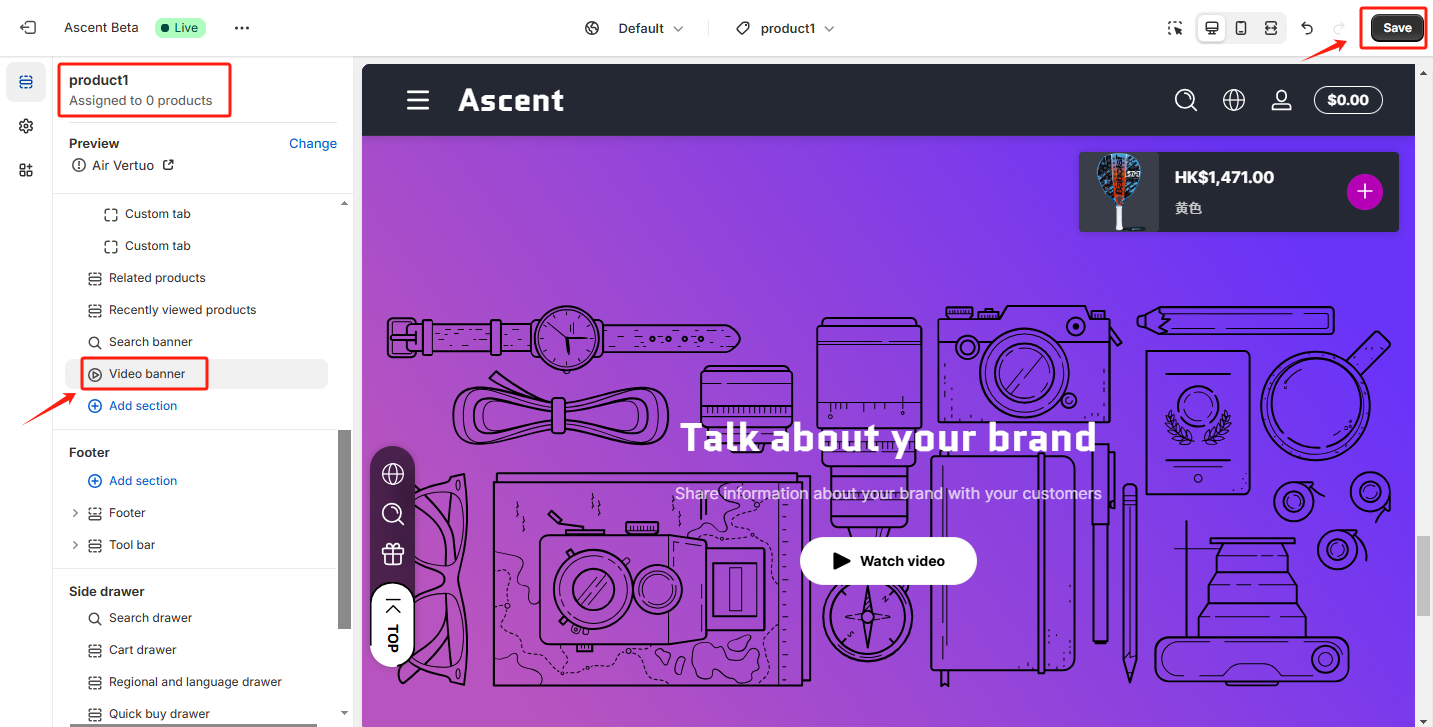
* In the template editor interface, you can add, edit, or delete sections.
* Customize the settings according to your needs.
* Once done, click "Save."
### Assign the Template to a Product
* Return to the Shopify admin backend > Products.
* Select the product you want to apply the template to.
* In the "Theme Template" section on the right, select the new template you just created.
* Click "Save."